Blog posts AI search cites, approved by the people who know your business.
blogassistant.ai plans your topics, drafts each post, and walks it through your real approval process before it's scheduled to your CMS.
Content planning, AI drafting and approvals for B2B blogs, written to get cited by ChatGPT, Google AI Overviews and Perplexity.
Most B2B blogs stall in the same three places.
Approvals sit in inboxes.
The post is ready. The person who has to say yes hasn't opened it.
AI drafts sound like nobody.
They get facts wrong and miss what makes the company different.
The posts never get cited.
AI search pulls answers from pages built to answer a question fast. Most blog posts aren't.
One tool
From research to published, in one place.
Every step shares the same brand context, so nothing gets lost between a spreadsheet, a doc and an email thread.
Step 1
Research
Topics from what your ideal clients ask AI search, each with the reason it made the list.
Step 2
Draft
Posts written from your positioning and voice, with gaps marked instead of guessed.
Step 3
Structure
Answer block, question headings, FAQ schema, meta data and images, set up for SEO, AEO and GEO.
Step 4
Edit
Reviewers edit and comment on the post itself, each with a deadline.
Step 5
Approve
A named approver signs off. Nothing moves before that.
Step 6
Publish
Approved posts are scheduled to your CMS on their date.
Your GTM, ideal client profiles and brand voice
Set once for each brand. Research, drafts, checks and reviews all read from it, so every post stays on message.
- Positioning
- Ideal clients
- Voice
- Facts and rules
How it works
- 1
Pick topics.
AI suggests topics from what your buyers ask ChatGPT, Google and Perplexity, and shows why each one made the list. You approve, reword or reject.
- 2
Get a draft.
AI writes each post from your brand's facts and voice. When it doesn't know something, it leaves a marked gap for a person to fill instead of guessing.
- 3
Review together.
Reviewers edit and comment in one place, each with a deadline and a reminder.
- 4
Approve.
The approver signs off. Until then, nothing goes anywhere.
- 5
Publish.
Approved posts are scheduled to your CMS, starting with WordPress.
Features
Everything a post needs, from first idea to scheduled.
Plan
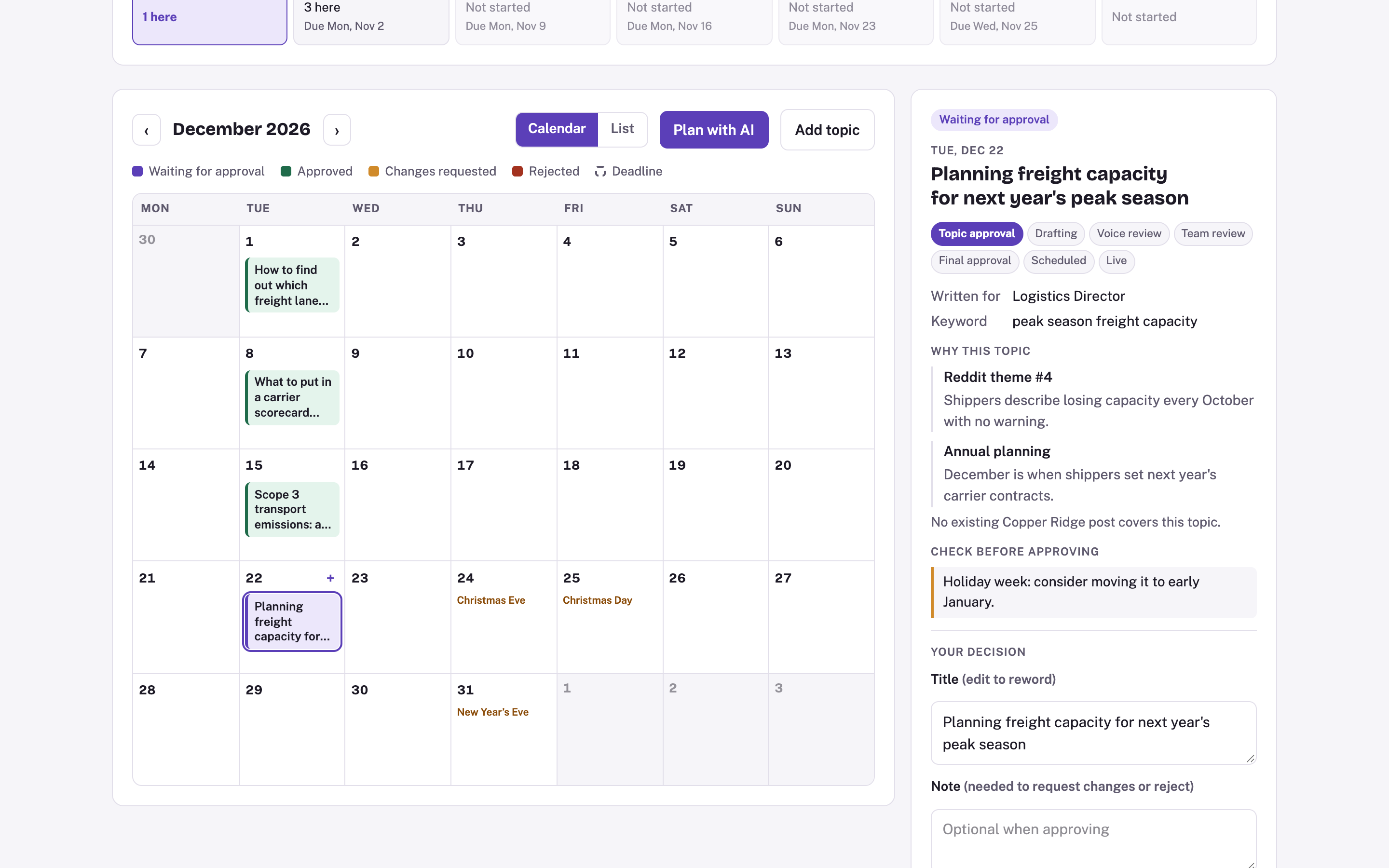
Topic calendar.
Every planned post on its publish date, with deadlines for each review step.
Topics with a reason.
Each suggestion shows the buyer question, search data or theme behind it.
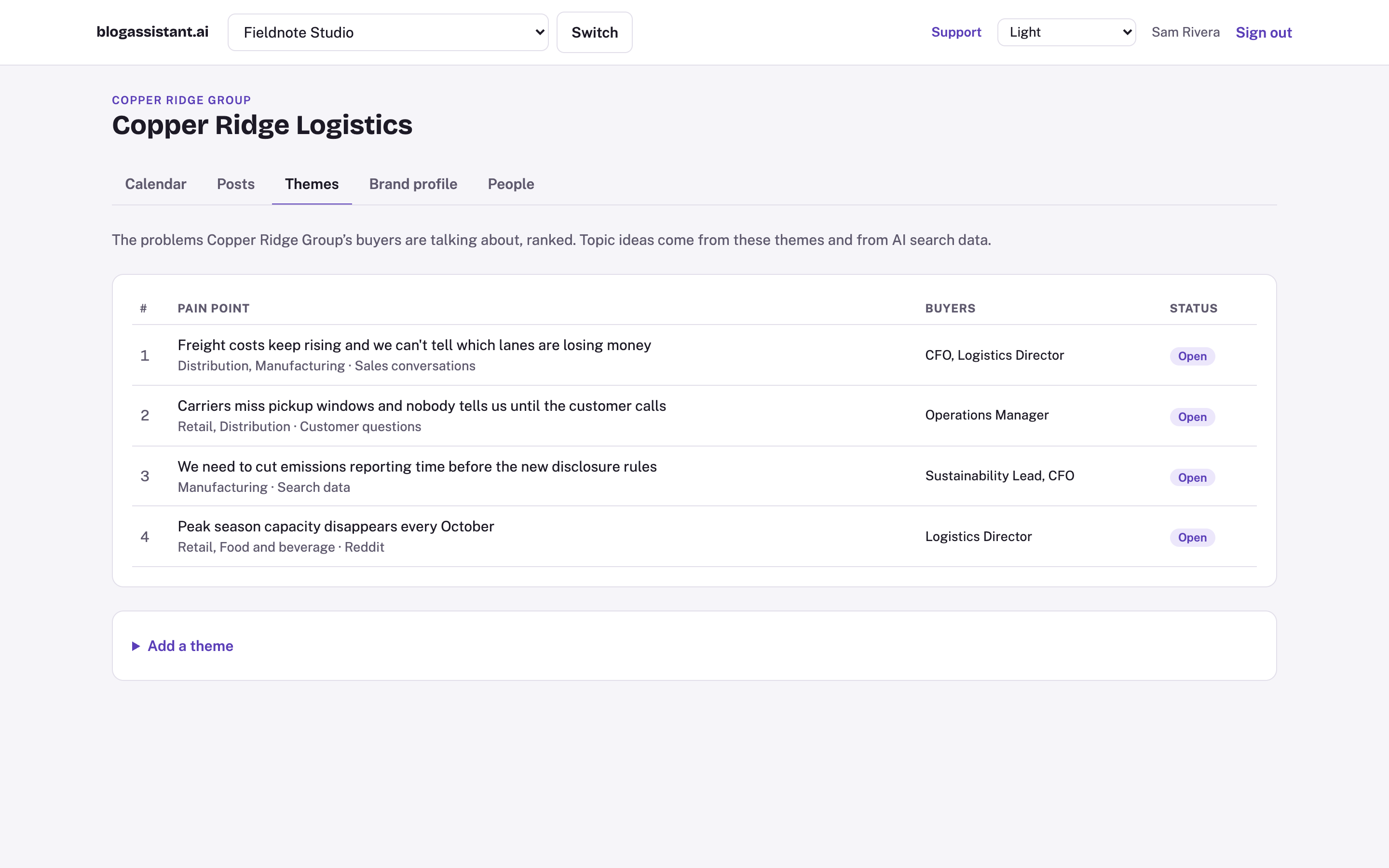
Themes board.
Rank the problems your buyers talk about. Topic ideas start there.
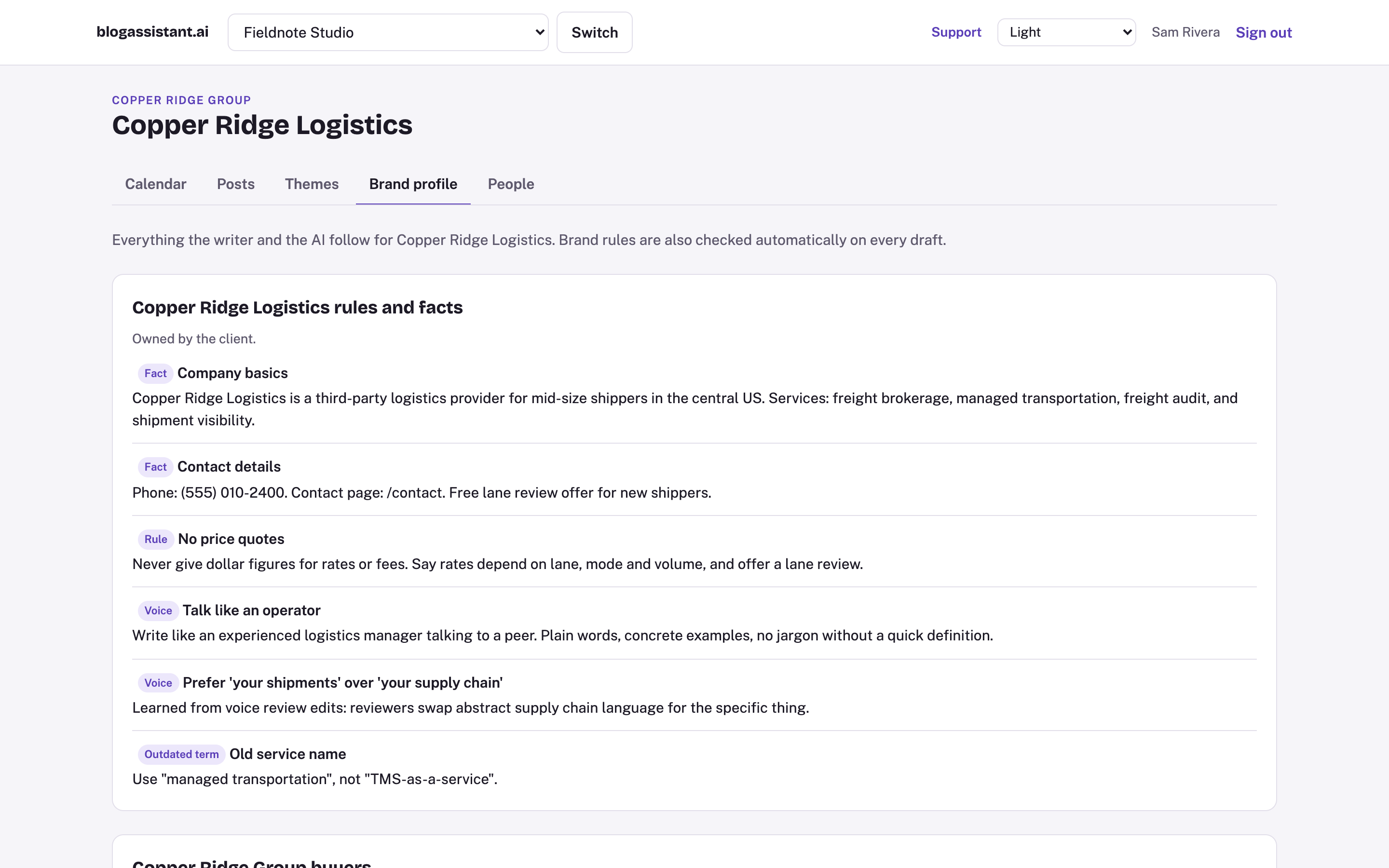
Brand profile.
Facts, rules, buyer personas and voice notes the AI follows on every draft.
Portfolio calendar.
See every company's planned posts on one calendar.
Write
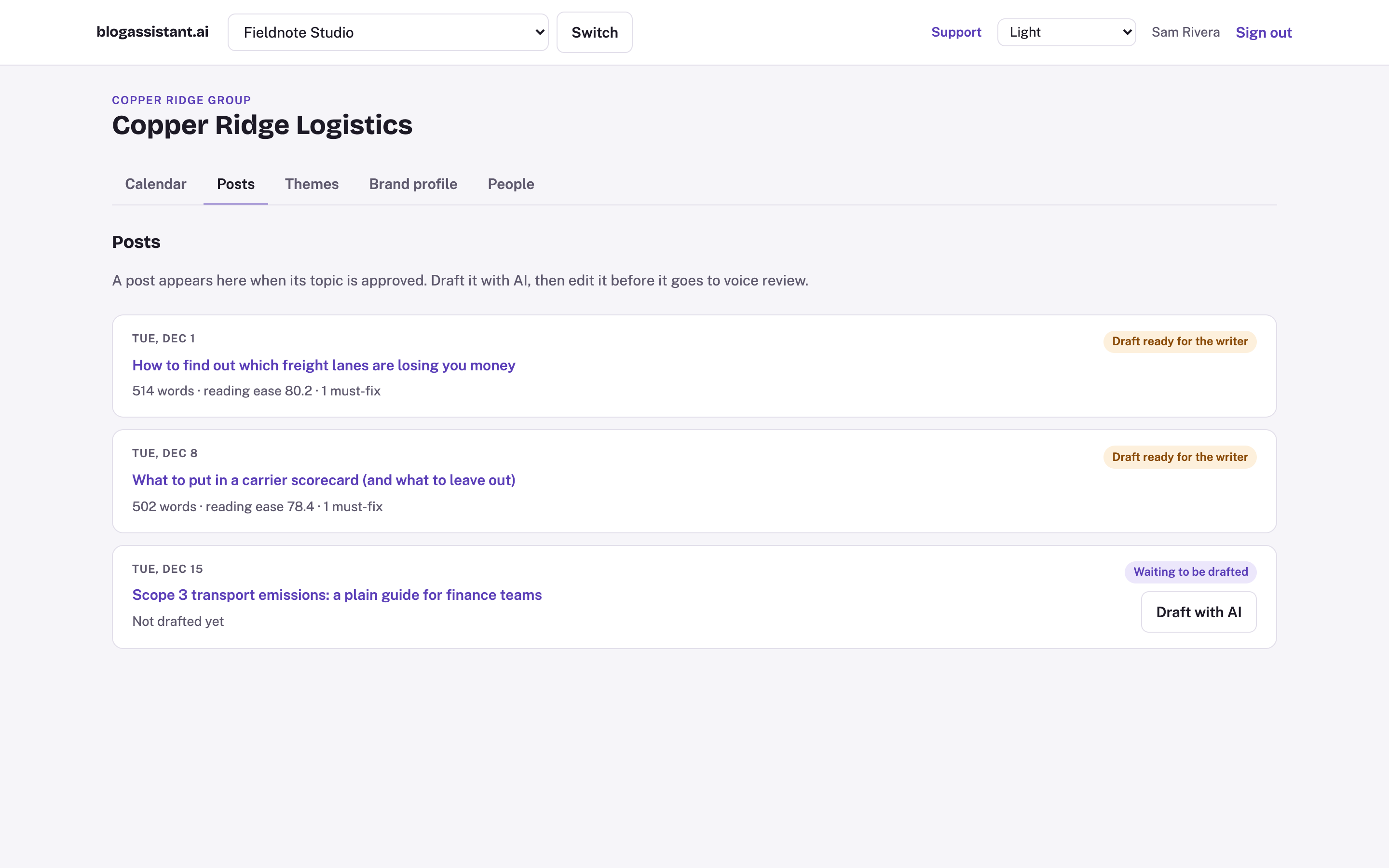
AI drafts in your voice.
Three passes on every post: a full draft, a rewrite to sound human, and a sweep for AI tells.
Marked gaps, not made-up facts.
Anything the AI can't confirm is flagged for a reviewer.
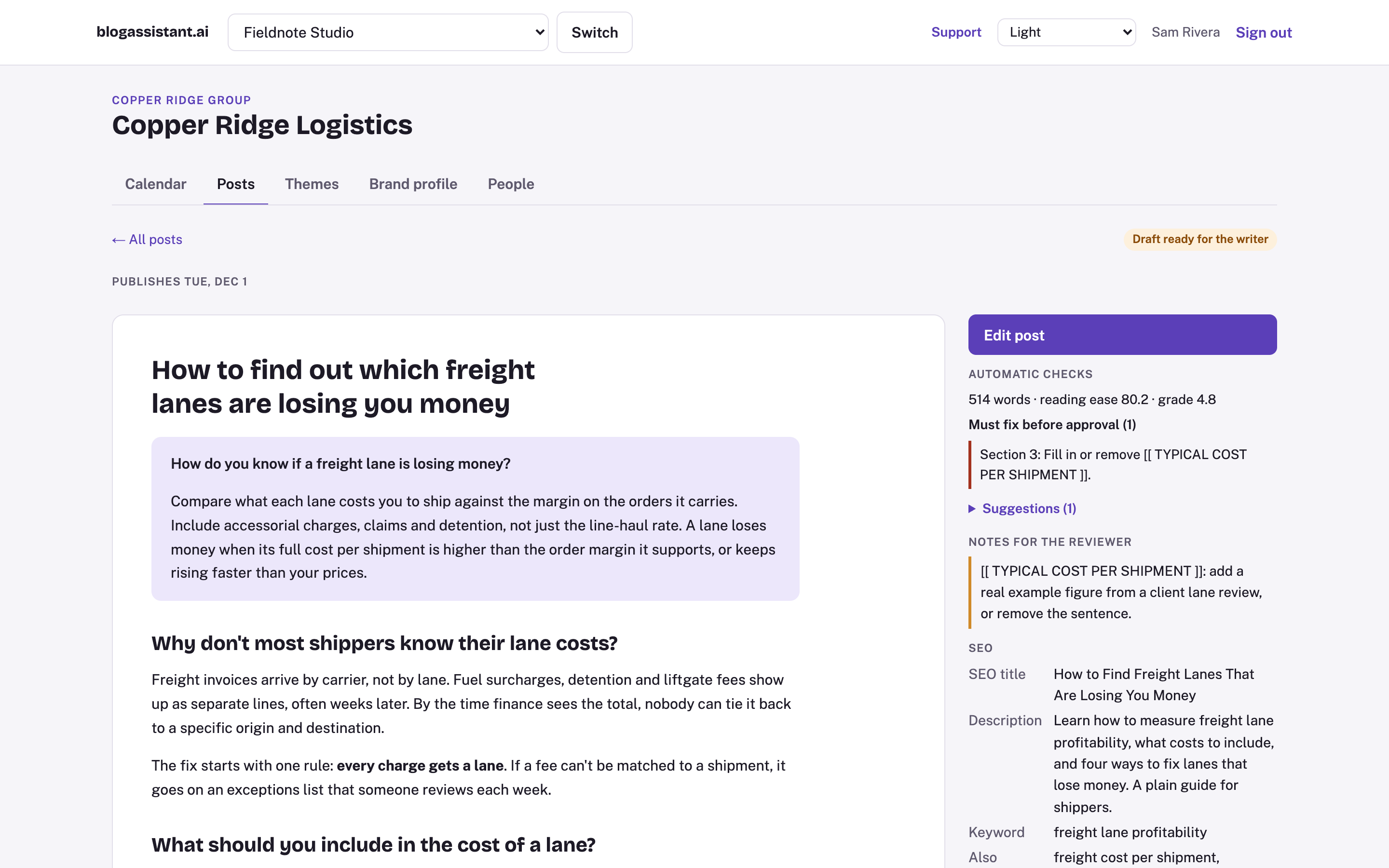
Automatic checks.
Reading level, answer length, banned words, outdated terms and brand rules, checked on every version.
Structured posts.
Answer block, question-style headings, FAQs and SEO fields. FAQ schema is generated from the FAQs, so the two always match.
Version history.
Every AI pass and every human edit is saved, with who or what made it.
Use your own Claude.
Teams with a Claude subscription can connect it and draft there.
Voice learning.
Reviewer edits teach the AI how each brand sounds, so later drafts need fewer changes.
Approve and publish
Review in one place.
Reviewers comment and suggest edits on the post itself, on desktop or phone.
Deadlines and reminders.
Everyone sees what they owe and by when, with calendar invites.
Final approval.
A named approver signs off before anything is scheduled.
Schedule to WordPress.
Approved posts go to your site on their publish date. More platforms are coming.
Many brands, one account.
Run every client or portfolio company from one login. Each sees only its own work.
LinkedIn posts for every article.
Every blog post comes with three to five LinkedIn drafts in different formats, each complete on its own, with a suggested schedule around publish day.
Slack and Teams notifications.
Reviews, reminders and approvals show up where your team already talks.
Your agency's own branding.
Clients see your agency's name and look, not ours.
Built for AI search
How do you get blog posts cited by AI search?
Write each post so an AI can lift the answer cleanly. Open with a short, direct answer to the buyer's question. Use headings that match how people ask. Add FAQs with schema that match the page. Then check every version so the format holds.
- Every post opens with a 40 to 60 word answer to the question a buyer would ask.
- Headings are real questions. FAQs come with schema markup, and they always match what's on the page.
- Checks run on every version, so a post that drifts from the format gets caught before review.
Who it's for
For agencies running B2B client content.
Run every client from one account. Each client gets its own brands, approvers and schedule, and sees only its own work.
For private equity portfolio companies.
Keep every portfolio company publishing without hiring a content team at each one. Each company keeps its own voice and approvers, and your team moves between them from one login. The same content standard applies to every site.
For B2B teams whose experts sign off.
Get your experts' sign-off without chasing them, and publish every week instead of when someone finds time.
FAQ
Now in private beta.
We're working with a small group of agencies, portfolio teams and B2B companies.